Connecting to VPN
Step 1.
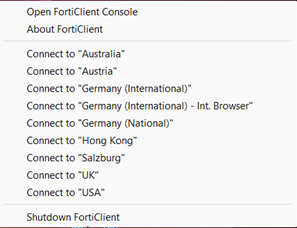
Using your ALDI issued computer, click on FortiClient and select “Connect to USA”
Step 2.
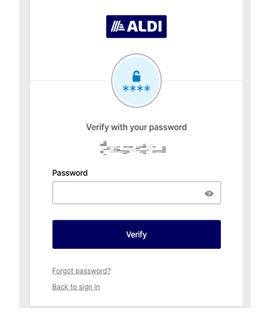
Login using your ALDI username and password.
How to Access and Search Internal Job Board
Step 1.
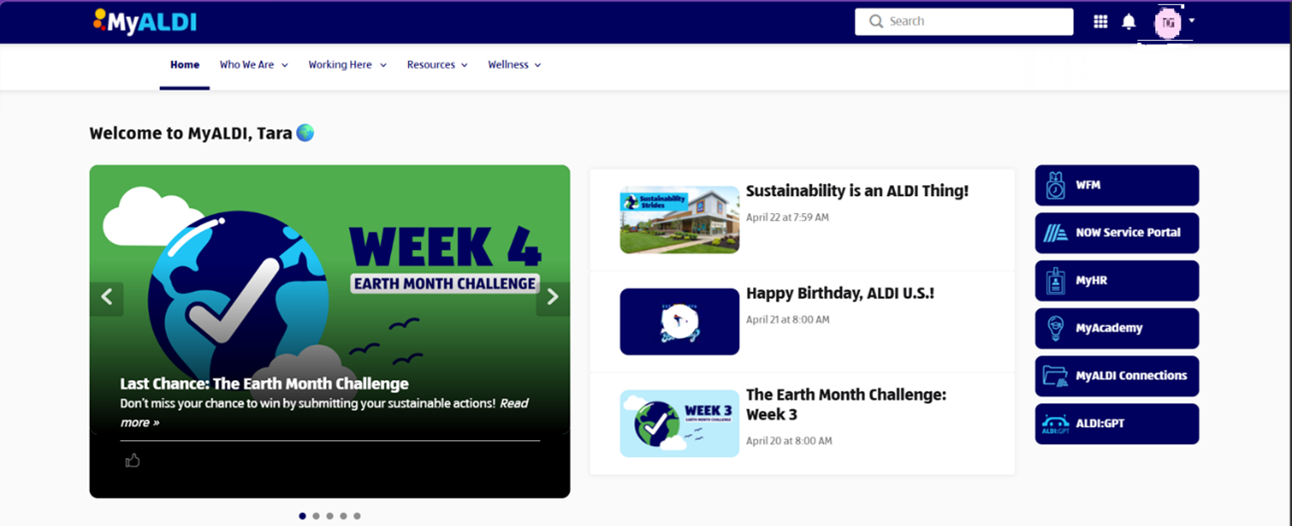
Access MyALDI using Microsoft Edge.
Step 2.
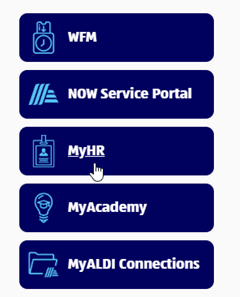
Click on MyHR on the right side.
Step 3.
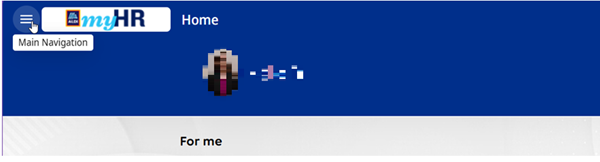
Once in MyHR select “Main Navigation”
Step 4.
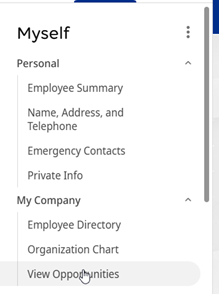
Under My Company select View Opportunities.
Step 5.
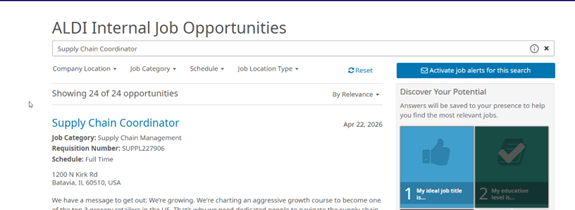
- You can search by Typing in desired role, searching by job category or by requisition id.
- Searching by desired role
- Type in desired role and hit enter.
- Searching by desired role
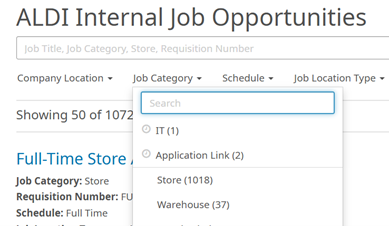
- Searching by Job Category
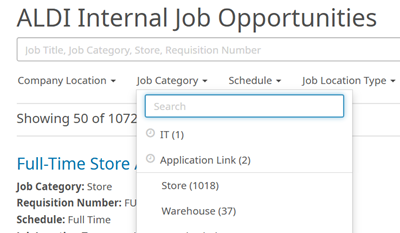
- Select “Job Category” and select job categories desired
- Searching by Requisition ID
- Type in requisition id and hit enter

How to apply for a job.
Step 1.
Click on the Job Title you would like to apply for.

Step 2.
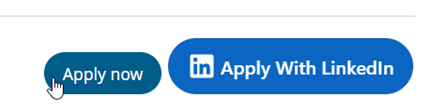
Click Apply Now on the right side of the screen.
Step 3.
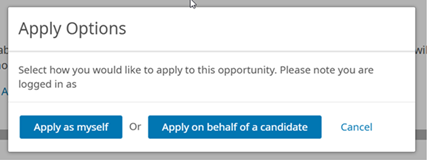
Click on Apply as myself.
Step 4.
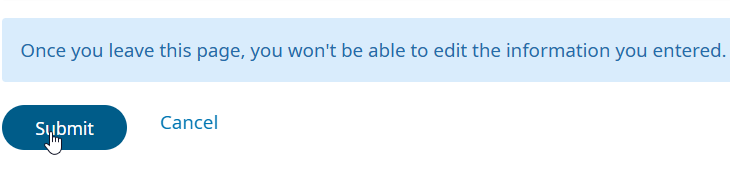
Verify information that is pre-loaded, complete the application and hit Submit on the bottom left of the screen.
Step 5.
You will get a verification notice that you applied for the job and you will receive an email in your ALDI inbox.
How to sign up for job alerts.
Step 1.
Search by Job Category or typing in Job Title, Job Category or Requisition Id.
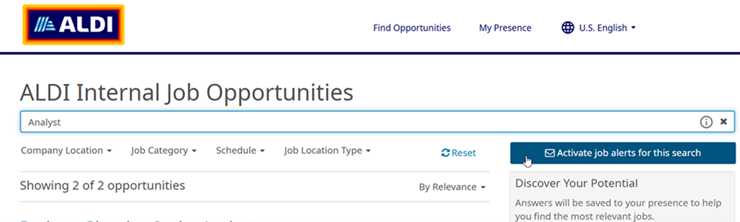
Step 2.
Click on the Activate Job Alerts For this Search on the right side of the page.
Step 3.
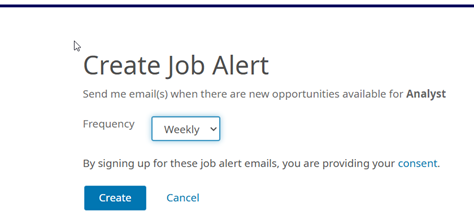
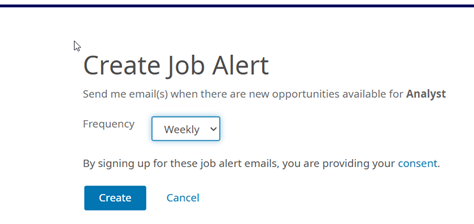
You will be taken to another page, select the frequency of alert.
Step 4.
Click Create.
Step 5.
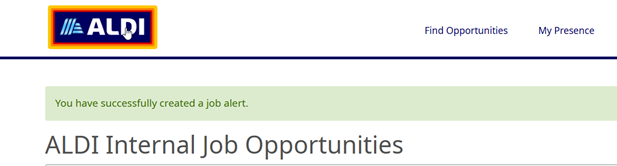
Created, you will see a confirmation above “ALDI Internal Job Opportunities.”
How to unsubscribe from job alerts.
Step 1.
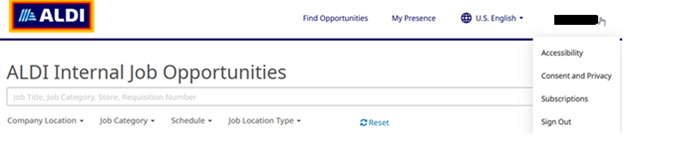
On the right side of the screen, click on the drop-down menu under your name.
Step 2.
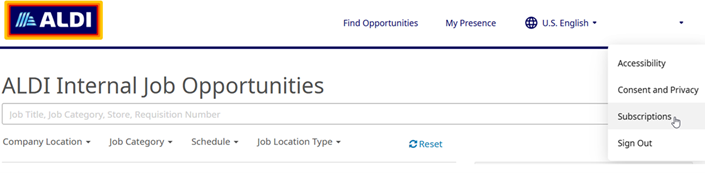
Select Subscriptions.
Step 3.
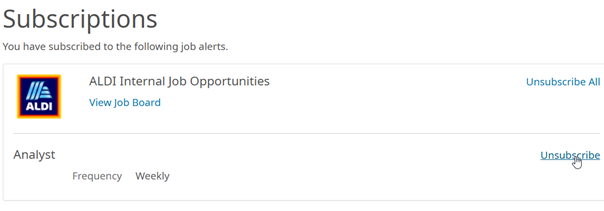
You will see a list of job alerts you have set up, select unsubscribe for the ones you no longer want.
Step 4.
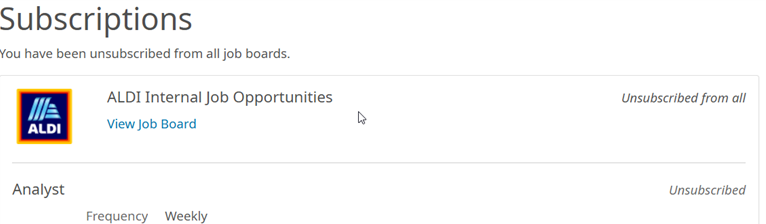
Once clicked, you will see that you have been unsubscribed from that job alert.
Sign Up for Job Alerts
When new ALDI career opportunities open, you’ll be among the first to know.