How to Access and Search Internal Job Board.
Step 1.
Once connected to the VPN go to MyALDI.
Step 2.
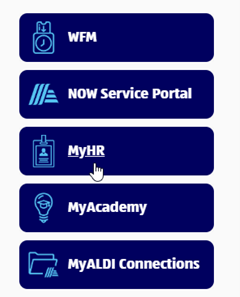
Click on MyHR on the right side.
Step 3.
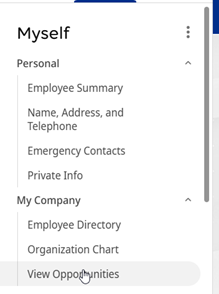
Under My Company select View Opportunities.
Step 4.
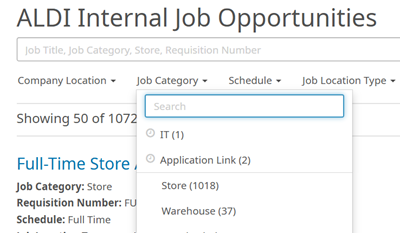
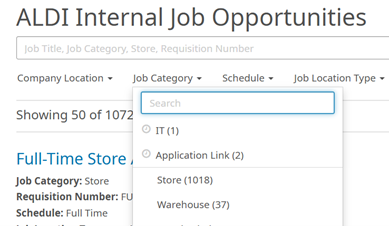
Search by Job Category or typing in Job Title, Job Category or Requisition Id.
How to apply for a job.
Step 1.
Click on the Job Title you would like to apply for.

Step 2.
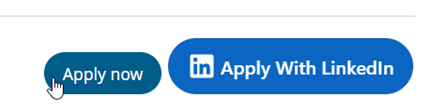
Click Apply Now on the right side of the screen.
Step 3.
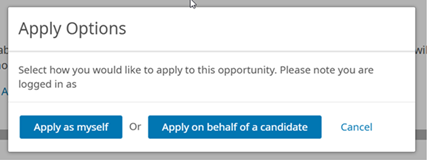
Click on Apply as myself.
Step 4.
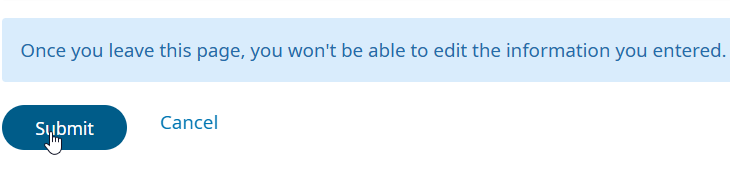
Verify information that is pre-loaded, complete the application and hit Submit on the bottom left of the screen.
Step 5.
You will get a verification notice that you applied for the job and you will receive an email in your ALDI inbox.
How to sign up for job alerts.
Step 1.
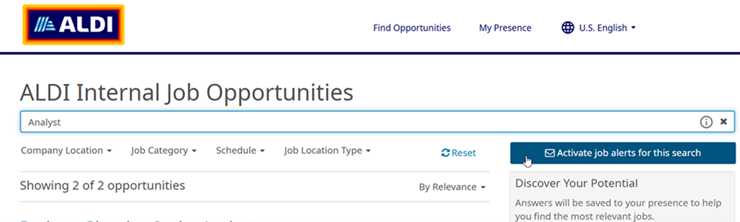
Search by Job Category or typing in Job Title, Job Category or Requisition Id.
Step 2.
Click on the Activate Job Alerts For this Search on the right side of the page.
Step 3.
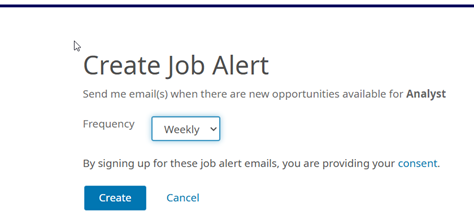
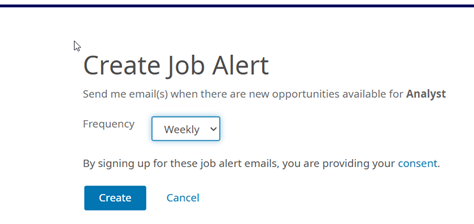
You will be taken to another page, select the frequency of alert.
Step 4.
Click Create.
Step 5.
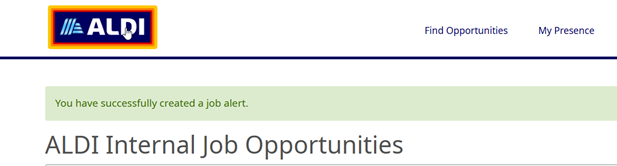
Created, you will see a confirmation above “ALDI Internal Job Opportunities.”
How to unsubscribe from job alerts.
Step 1.
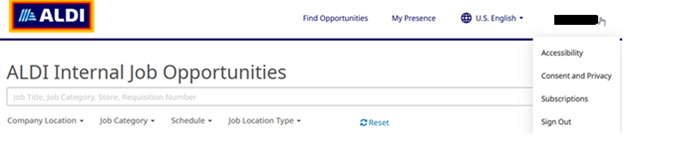
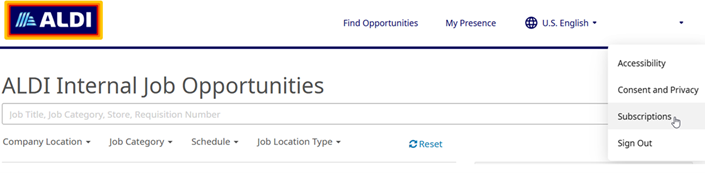
On the right side of the screen, click on the drop-down menu under your name.
Step 2.
Select Subscriptions.
Step 3.
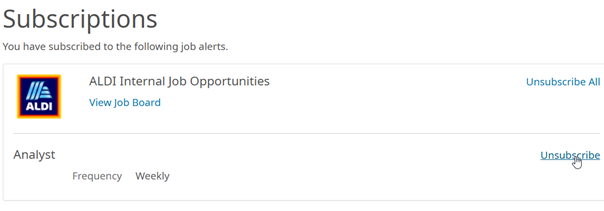
You will see a list of job alerts you have set up, select unsubscribe for the ones you no longer want.
Step 4.
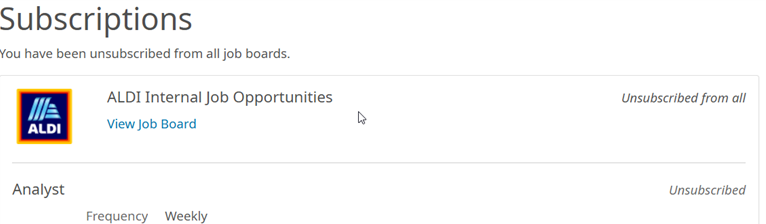
Once clicked, you will see that you have been unsubscribed from that job alert.
Sign Up for Job Alerts
When new ALDI career opportunities open, you’ll be among the first to know.